


3 min read
Square Face Generator History: From a 2013 Flash Tool to Ruffle
Trace the documented 2013 Square Face Flash generator and explain how this site runs its SWF with Ruffle.
Read →Use the classic Square Face tool to build a square avatar, then save the result as a 256px PNG.
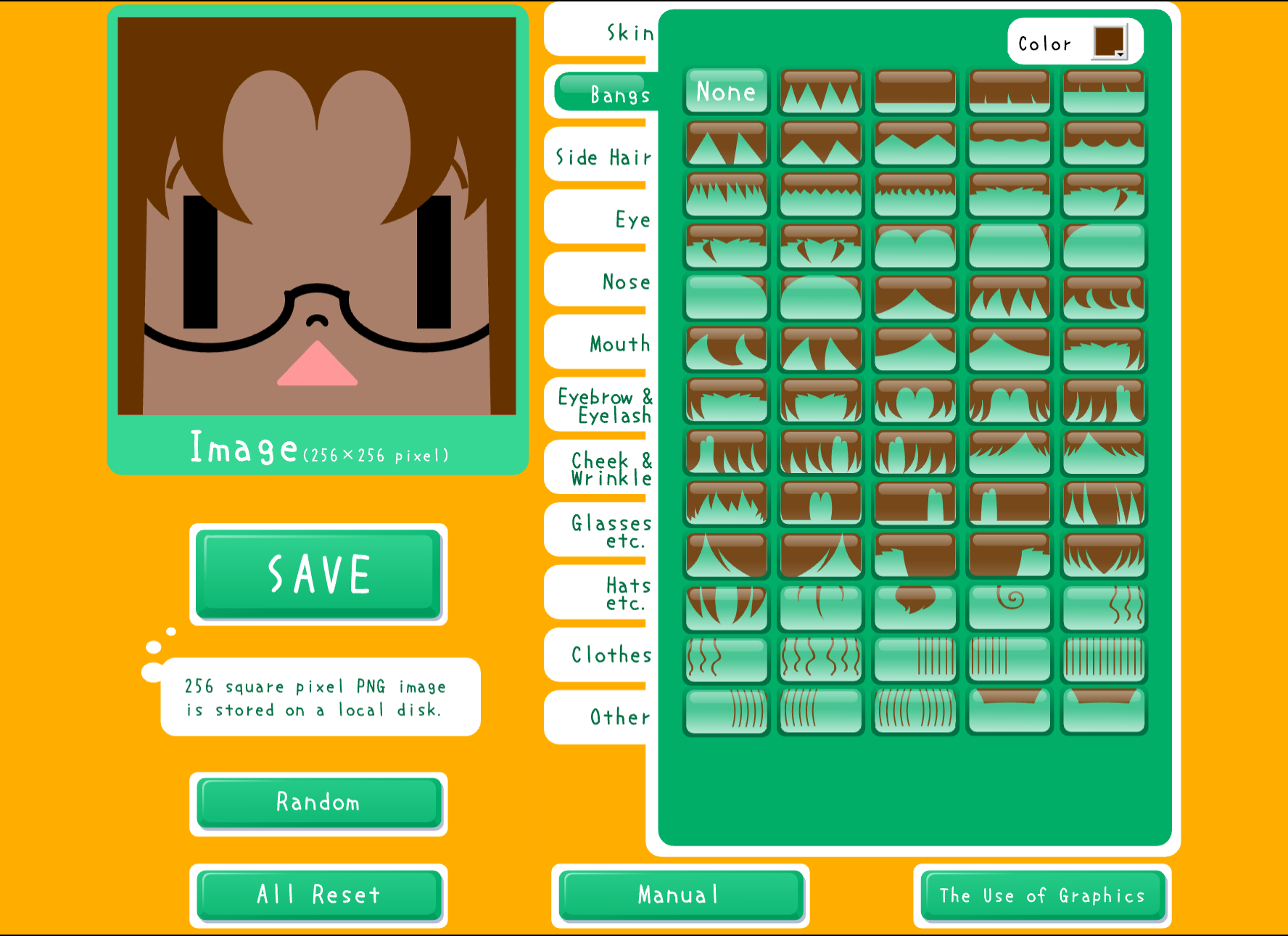
Square Face Icon Generator is a classic avatar tool. Click START, choose the visible face, hair, accessory, clothing and color options, then use SAVE to create a 256px PNG.
The classic tool shows a 256px square result.
SAVE downloads a 256px PNG.
Choose from the face, hair, accessory, clothing and color controls shown in the tool.
Use the tool's SAVE control after reviewing the result.
Use the square result as a starting point for a profile-picture layout.
Consider the square format for a gaming or community profile after checking its image requirements.
A saved square image can be reviewed for a developer or social profile.
Keep a square face result for a personal project that needs a simple avatar image.
The tool presents a square face result at 256px.
Follow the visible tool flow from START to SAVE.
Click START to open the classic Square Face editor.
Select face, hair, accessory, clothing and color choices.
Check the assembled square face before saving.
Use SAVE to download the 256px PNG result.
Click START to open the classic Square Face editor.
Select face, hair, accessory, clothing and color choices.
Check the assembled square face before saving.
Use SAVE to download the 256px PNG result.
Ruffle opens the classic tool in your browser.
The classic tool produces a 256px square image.
Choose visible face and color options in the editor.
The editor shows hair, accessory and clothing choices.
Inspect the assembled result before saving.
Use SAVE to download the 256px PNG result.
Trace the documented 2013 Square Face Flash generator and explain how this site runs its SWF with Ruffle.
Read →Use five practical avatar design checks to build, save, and test a clear square profile picture.
Read →Compare a 48px full-body pixel character with a 256px square portrait and choose the right visual job.
Read →Open the classic tool, choose the visible options and save the 256px result.
Start Creating